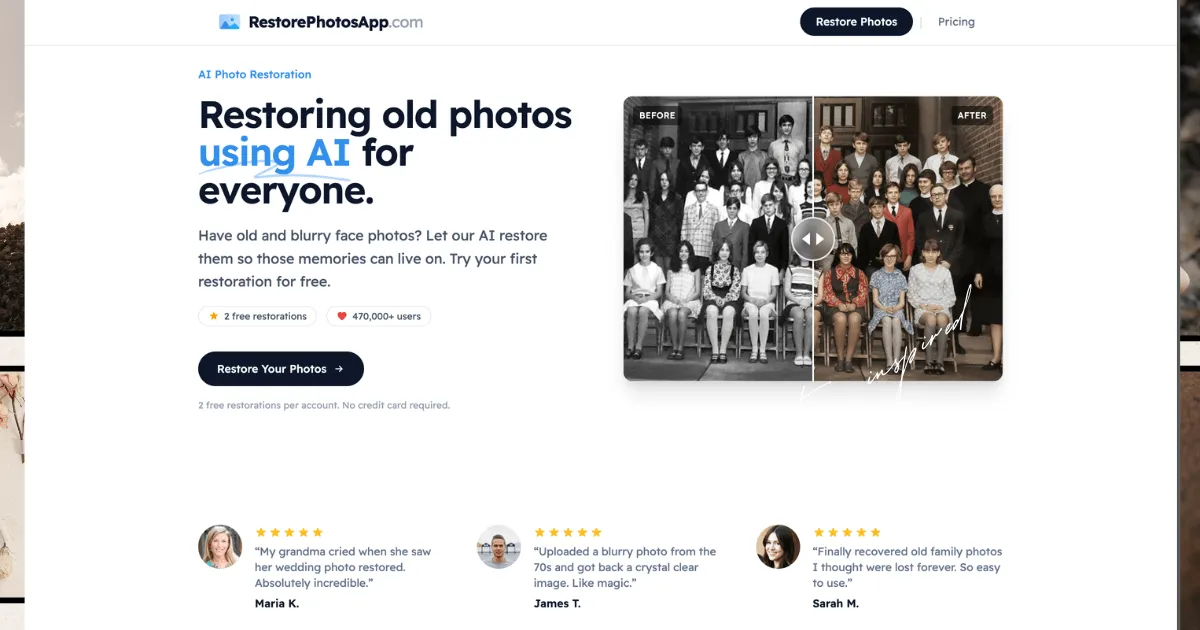
AI-powered photo restoration service that repairs blur, scratches, and damage, and colorizes black & white photos, starting at $6.99.
The website review directory that helps you rank on Google, ChatGPT, Claude, Gemini & Perplexity with dofollow backlinks and AI reviews.
Revenue analytics for SaaS founders. See what actually drives your growth.
Redstone pairs a 3,400-security screener with Sharpe, Sortino, Calmar and alpha metrics so investors can build, rank and share data-driven portfolios in the browser.
Redstone pairs a 3,400-security screener with Sharpe, Sortino, Calmar and alpha metrics so investors can build, rank and share data-driven portfolios in the browser.
Get listed across 100+ startup directories, submitted by hand. Permanent dofollow backlinks and +25 domain rating on average.
Submit your website to get discovered by thousands of potential customers and boost your SEO.
Get ListedURL2Pin converts any Amazon, Etsy, Shopify, or blog URL into a batch of Pinterest pins with AI-generated images, SEO titles, descriptions, keywords, and API-based scheduling.
URL2Pin converts any Amazon, Etsy, Shopify, or blog URL into a batch of Pinterest pins with AI-generated images, SEO titles, descriptions, keywords, and API-based scheduling.
ExcelForAll drills real spreadsheet skills in a live browser grid, grading the formula typed into each cell across 84 exercises covering ranges, logic, lookups and charts.
ExcelForAll drills real spreadsheet skills in a live browser grid, grading the formula typed into each cell across 84 exercises covering ranges, logic, lookups and charts.
QuickFax charges a flat $1.50 per page to send PDFs, DOCX files, or phone-camera images through a browser, skipping accounts and subscriptions while returning emailed delivery confirmation.
QuickFax charges a flat $1.50 per page to send PDFs, DOCX files, or phone-camera images through a browser, skipping accounts and subscriptions while returning emailed delivery confirmation.
RestorePhotos is an AI-powered photo restoration service that brings old, damaged, or blurry photos back to life. It's designed for anyone who has a shoebox of faded family portraits, a scratched wedding photo, or a grainy baby picture that deserves a second chance. The service uses advanced machine learning models, including Google Gemini AI, to analyze and reconstruct missing details, remove scratches and noise, sharpen out-of-focus images, and colorize black & white photos. With over 470,000 users and 2 million photos restored, it positions itself as an affordable alternative to professional photo restoration studios, which typically charge $50 or more per image. RestorePhotos offers one-time credit packs starting at $6.99, with no subscription required, making it accessible for individuals and families who want to preserve their memories without breaking the bank.
The platform is built for simplicity: users upload a photo, choose a restoration style (Restore, Colorize, Enhance, Cleanup, or Sharpen), and download the result in seconds. It runs entirely in the browser, so there's no software to install, and it works on desktop, tablet, and mobile. The service also includes bulk restoration for processing multiple photos at once, and it offers a 30-day money-back guarantee on all purchases. While there are many AI photo restoration tools on the market, RestorePhotos differentiates itself with its focus on face restoration, its transparent pricing, and its commitment to privacy, with photos stored securely on Cloudflare R2 and automatically deleted after 30 days.
AI Face Restoration: The core feature is the AI's ability to restore faces in old photos. It analyzes facial features, edges, and textures to rebuild damaged areas, remove scratches, noise, and blur, while preserving the original character and expression. This is particularly effective for portraits, family photos, and vintage images where the face is the focal point. The AI is trained on millions of photographs, allowing it to reconstruct missing details with impressive accuracy.
Colorization: The Colorize style turns black & white and sepia photos into realistic color images. The AI predicts natural skin tones, fabric colors, and background hues based on context. It works on photos from the 1800s to recent black & white shots. While the colors are an interpretation rather than a historical record, the results are often stunning and bring old memories to life in a new way.
Sharpen Blurry Photos: The Sharpen style is designed for blurry, soft, or out-of-focus photographs. It reconstructs sharp facial features, edges, and details, making it useful for old phone photos, screenshots, and motion-blurred images. The AI works by rebuilding detail that the camera failed to capture, so lightly soft portraits come back dramatically better, while extremely blurry or tiny faces may have limited improvement.
Scratch and Damage Removal: The service can remove scratches, creases, water damage, and other physical imperfections from scanned prints. The AI fills in the damaged areas with plausible detail, effectively cleaning up the image. This is a key feature for restoring old family photos that have been stored in attics or albums for decades.
Bulk Restoration: For users with large collections, the bulk restoration feature allows processing many photos in one session. This is ideal for digitizing entire albums or shoeboxes of prints. The service handles the queue automatically, and users can download the restored images individually or in batches.
High-Resolution Output: Restored photos are delivered at 1080p resolution, which is suitable for reprinting framed portraits, sharing on social media, or archiving. The Pro and Family plans include high-resolution output, and all plans allow full-resolution downloads. The quality of the final file depends on the quality of the upload, so users are encouraged to scan or photograph originals in good lighting.
Privacy and Security: Photos are processed over HTTPS and stored privately on Cloudflare R2. Originals and restored versions are kept for 30 days, then permanently deleted. The service never shares photos with third parties or uses them to train AI models. This is a significant advantage for users concerned about the privacy of their personal memories.
Using RestorePhotos is straightforward. First, users create an account, which includes 2 free restorations with no credit card required. This allows them to test the service on their own photos before committing to a paid plan. After signing up, users navigate to the restore page, where they can upload an image from their device. The upload process is simple and works in the browser on any device.
Once the photo is uploaded, users choose a restoration style: Restore, Colorize, Enhance, Cleanup, or Sharpen. Each style is tailored to a specific need, and users can experiment with different styles on the same photo using their credits. The AI processing takes under 30 seconds, and the result is displayed with a before-and-after slider so users can see the improvement. If satisfied, they can download the restored image in full resolution. If not, they can try a different style or adjust the original photo.
For bulk restoration, users can upload multiple photos at once and process them in a single session. The service handles the queue, and users can download each restored image as it's ready. There's no need to install any software, and the entire workflow is designed to be intuitive even for non-technical users. The learning curve is minimal, and the free credits provide a risk-free way to get started.
Family Historians: A person digitizing their grandparents' wedding album can use RestorePhotos to repair faded, scratched, and torn photos. The colorization feature can bring black & white portraits to life, making them more engaging for younger generations. The bulk restoration feature allows processing dozens of photos in one sitting, saving hours of manual editing.
Genealogists: Researchers building a family tree often encounter old photos with missing faces or severe damage. RestorePhotos can reconstruct facial features, making it easier to identify ancestors. The high-resolution output is useful for printing and sharing with relatives.
Small Business Owners: A vintage shop owner or a photographer who sells restored photos can use RestorePhotos to enhance old images for clients. The one-time credit packs are cost-effective for occasional use, and the commercial rights allow them to use the restored photos in their business.
Individuals with Personal Memories: Someone who has a single precious photo of a deceased relative can use the free credits to restore it. The emotional value of seeing a clear, colorized version of a loved one is immense, and the service makes it accessible to everyone.
Archivists and Librarians: Organizations with historical photo collections can use the bulk restoration feature to digitize and restore large archives. The privacy policy ensures that sensitive historical images are handled securely, and the 30-day retention period is sufficient for processing and downloading.
RestorePhotos offers four one-time credit packs, with no subscription required. The Starter pack costs $6.99 for 10 credits (about $0.70 per credit), the Pro pack costs $16.99 for 25 credits ($0.68 per credit), the Family pack costs $29.99 for 50 credits ($0.60 per credit), and the Studio pack costs $54.99 for 100 credits ($0.55 per credit). Each credit covers one restoration, whether it's repair, colorization, or sharpening. Credits never expire, so users can buy them once and use them whenever they're ready.
Compared to professional photo restoration services, which can cost $50 or more per image, RestorePhotos is significantly cheaper. Even the Starter pack offers a fraction of the cost of a single professional restoration. The free 2 credits on signup provide a risk-free trial, and the 30-day money-back guarantee on all purchases adds further confidence. The pricing is transparent, with no hidden fees, and the per-credit cost decreases with larger packs, making the Family and Studio plans the best value for users with many photos.
RestorePhotos is a powerful and accessible AI photo restoration tool that delivers impressive results for a fraction of the cost of professional services. Its key strengths are its ease of use, the quality of its face restoration and colorization, and its transparent, one-time pricing. The privacy policy is a standout feature, ensuring that users' personal photos are handled securely. The main limitations are the 30-day retention period for restored photos, which requires users to download their results promptly, and the fact that severely damaged or extremely low-resolution photos may not be fully recoverable. However, for the vast majority of old photos, RestorePhotos offers a practical and affordable solution. It's ideal for individuals, families, and small businesses looking to preserve their memories, and the free credits make it easy to try before buying. For anyone with a collection of old photos, RestorePhotos is definitely worth a try.
For more details, you can explore the pricing plans or read the FAQ to learn more about the service. If you're curious about how it compares to other tools, check out the comparison page.