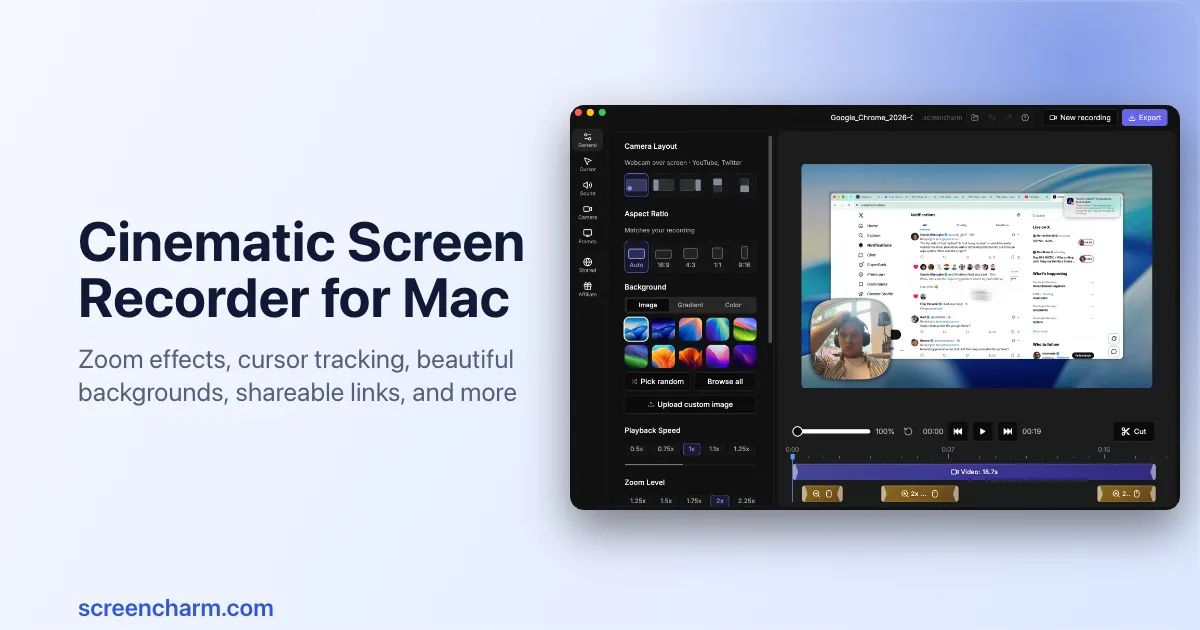
Mac screen recorder with smart zoom, webcam overlay, motion blur, 4K export, and built-in editor. One-time purchase, no subscription.
The website review directory that helps you rank on Google, ChatGPT, Claude, Gemini & Perplexity with dofollow backlinks and AI reviews.
EmojiSpark is a free emoji, symbol and kaomoji library with curated mood collections and a combo studio that plain emoji keyboards cannot match.
EmojiSpark is a free emoji, symbol and kaomoji library with curated mood collections and a combo studio that plain emoji keyboards cannot match.
Revenue analytics for SaaS founders. See what actually drives your growth.
Submit your website to get discovered by thousands of potential customers and boost your SEO.
Get ListedRedstone pairs a 3,400-security screener with Sharpe, Sortino, Calmar and alpha metrics so investors can build, rank and share data-driven portfolios in the browser.
Redstone pairs a 3,400-security screener with Sharpe, Sortino, Calmar and alpha metrics so investors can build, rank and share data-driven portfolios in the browser.
Clarity aggregates 55 French newsrooms across the political spectrum, quantifying per-story left/centre/right coverage splits and surfacing the topics each camp ignores.
Clarity aggregates 55 French newsrooms across the political spectrum, quantifying per-story left/centre/right coverage splits and surfacing the topics each camp ignores.
URL2Pin converts any Amazon, Etsy, Shopify, or blog URL into a batch of Pinterest pins with AI-generated images, SEO titles, descriptions, keywords, and API-based scheduling.
URL2Pin converts any Amazon, Etsy, Shopify, or blog URL into a batch of Pinterest pins with AI-generated images, SEO titles, descriptions, keywords, and API-based scheduling.
Screen Charm is a macOS screen recording application designed to help creators, developers, and founders produce polished, professional-looking videos without complex editing. It combines screen capture with automatic enhancements like smart zoom, cursor smoothing, and motion blur, along with a built-in editor for trimming, speed control, and adding music. The app targets users who need to create product demos, tutorials, and online courses quickly, offering a one-time purchase model with lifetime updates.
Key features include:
Primary use cases:
Screen Charm stands out from alternatives like Loom or QuickTime by offering automatic post-production effects that would otherwise require manual editing. Its one-time pricing model (no subscription) and lifetime updates provide a cost-effective solution for frequent screen recorders. The app is Mac-first, optimized for Apple Silicon, and includes a 14-day money-back guarantee.
In summary, Screen Charm is a comprehensive screen recording tool that simplifies the creation of high-quality videos, making it ideal for anyone who needs to communicate visually on macOS.